Context Menu
The Context Menu is slightly different depending upon the location from which it is launched but always appears as three vertical dots

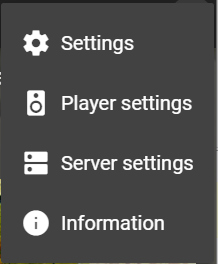
Context Menu from top right of all screens opens Settings
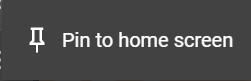
Context Menu from various Home Screen locations - see Pinning
Context Menu from Artists / Albums etc
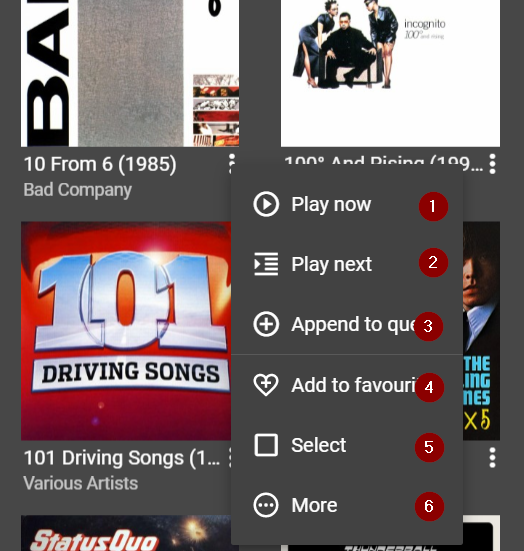
Depending on whether accessed at Album or Track level (Album / Track)
- Immediately Plays (all album tracks from start / selected track)
- Adds (all album tracks to Queue after currently playing track / selected track to Queue after currently playing track)
- Adds (all album tracks to end of Queue / selected track to end of Queue)
- Adds (album / track) to Favourites
- Select (album / track) for processing
- Displays More information concerning (album / track)
Context Menu from Queue location
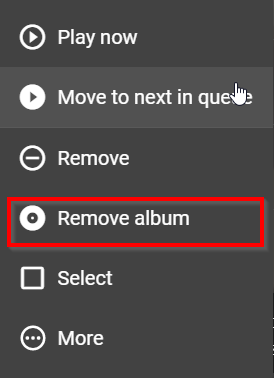
Remove album - added in Material skin v 1.2 - only appears if queue contains multiple tracks from the same album.
Select - see also Select Multiple Items
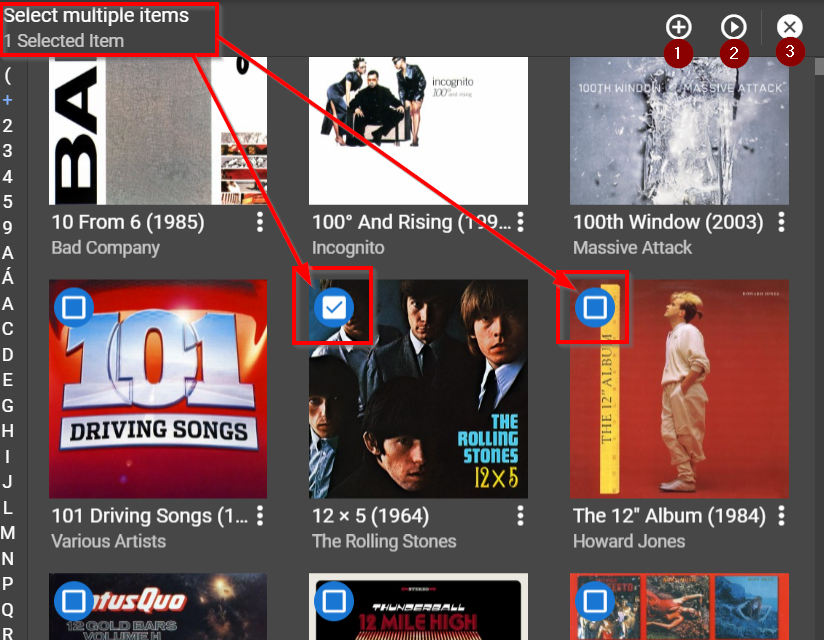
- Add all selected items to Queue
- Play all selected items
- Cancel operation
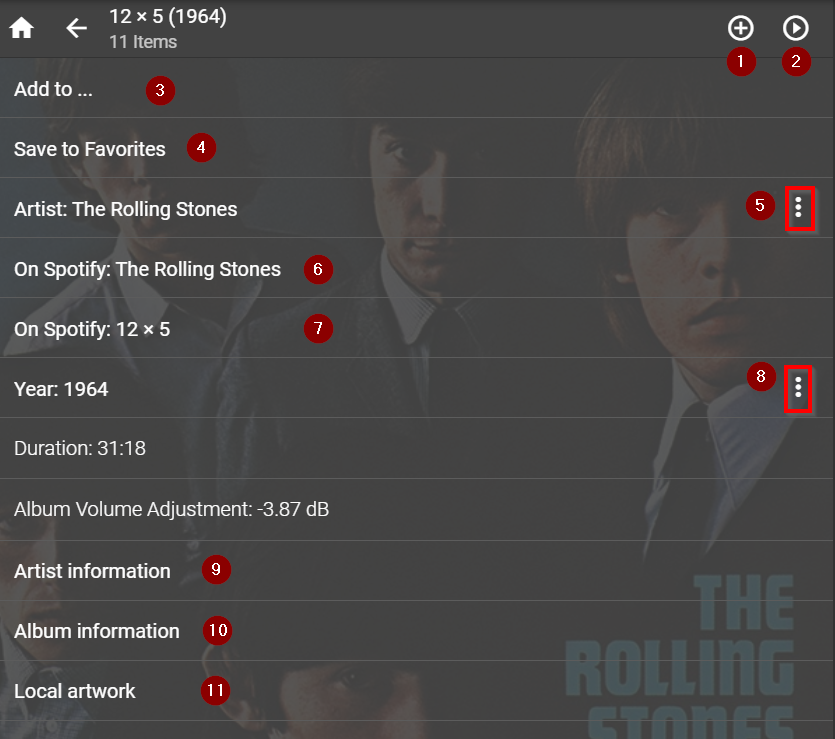
- Add (album / track) to Queue
- Play (album / track)
- Add (album / track) to exiting playlist - requires Playlist Manager plugin
- Save (album / track) to Favourites
- Context Menu for Artist - acts on all Albums / Tracks by Artist
- Display Artist on Spotify - requires Spotty plugin (currently not working)
- Display Album on Spotify - requires Spotty plugin (currently not working)
- Context Menu for Year - acts on all tracks tagged with Year
- Artist Information - only available if Music & Artist Information plugin (MAI) installed
- Album Information - only available if Music & Artist Information plugin (MAI) installed
- Displays local artwork in Browse area
Created with the Personal Edition of HelpNDoc: News and information about help authoring tools and software