Select Multiple items
PC only
1. Press, and hold, shift key
2. Open Context Menu of first item and select "Select"
3. Click icon of last item in range
4. Release shift key
All client types
To select multiple items in the Queue or from a list of tracks in an album select any track and then access its Context Menu
An option to Select appears.
Queue
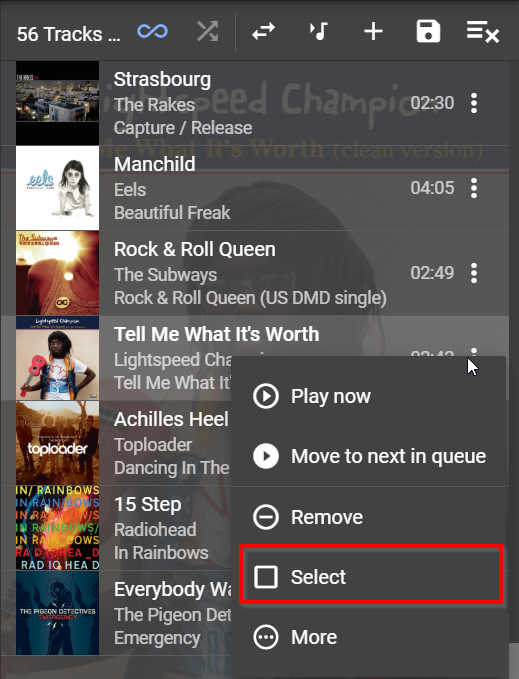
Once you have selected one item in the list all items are then available for selection.
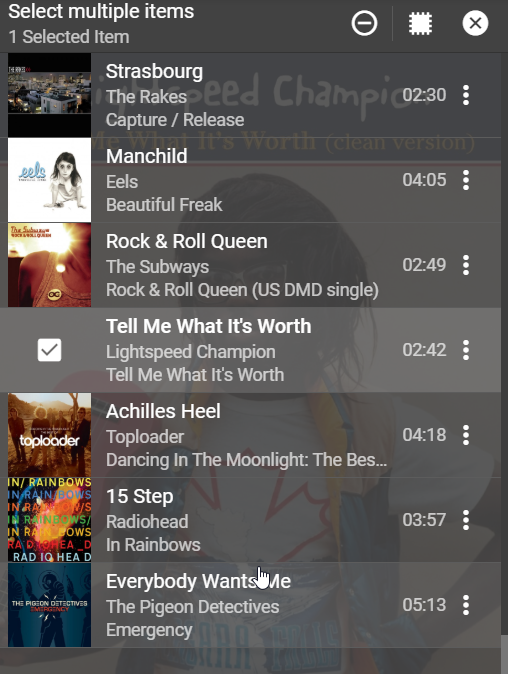
Simply click on the additional items that you want to select.
NB. In the queue no selection box appears but click on the cover art and it will select.
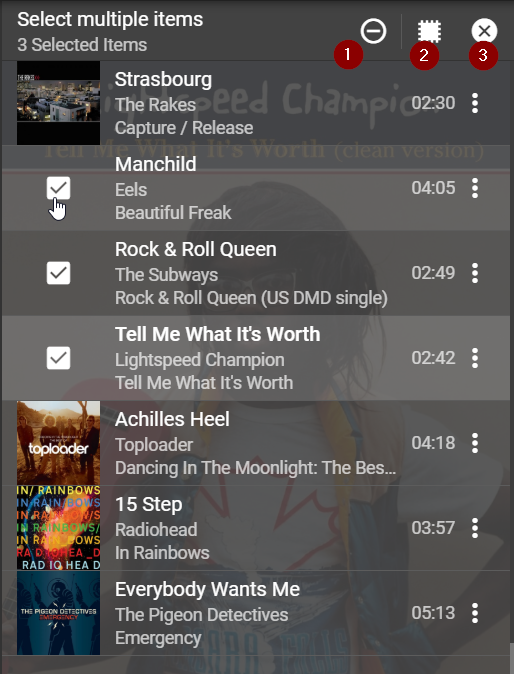
1) Remove selected items from Queue
2) Invert selection
3) Cancel selection
Selection method as per above.
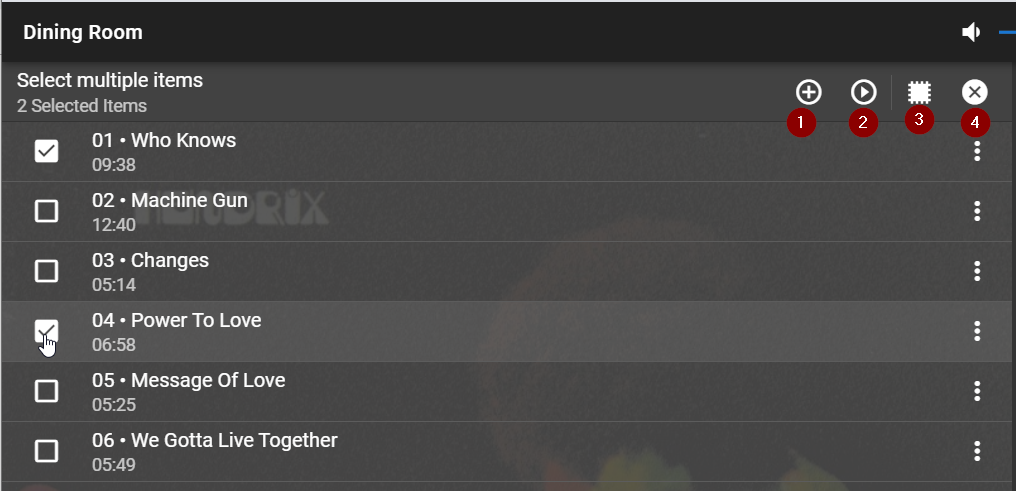
1) Adds selected items to end of Queue
2) Plays selected items immediately
3) Inverts selection
4) Cancel selection
Created with the Personal Edition of HelpNDoc: News and information about help authoring tools and software