Home Screen
Mobile
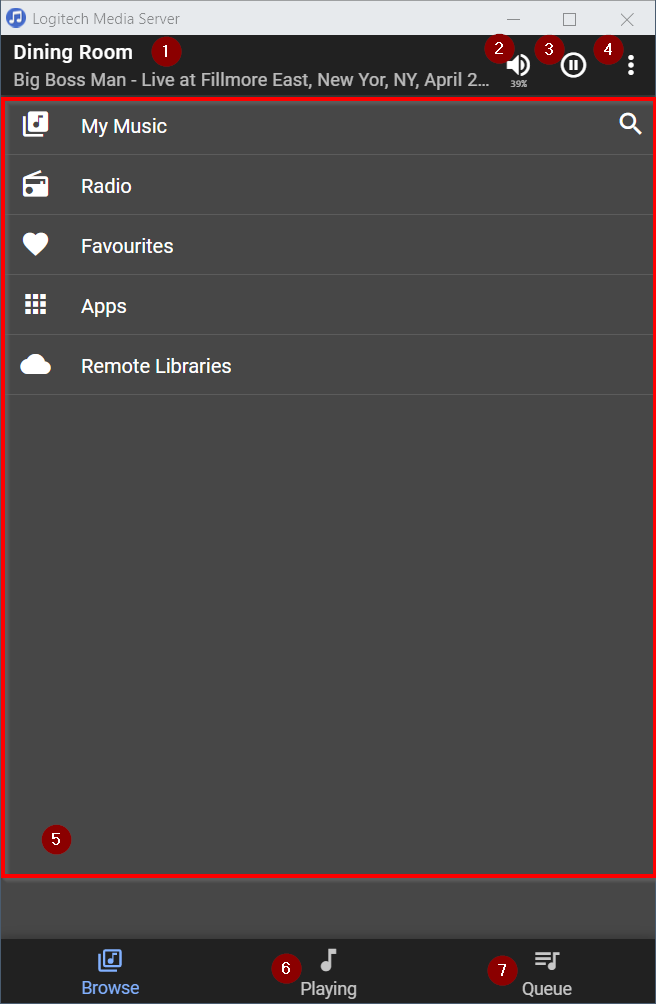
- Player Selection and now playing display
- Volume Control
- Play / Pause
- Settings
- Browse - current view
- Playing - switches view
- Queue - switches view
Desktop
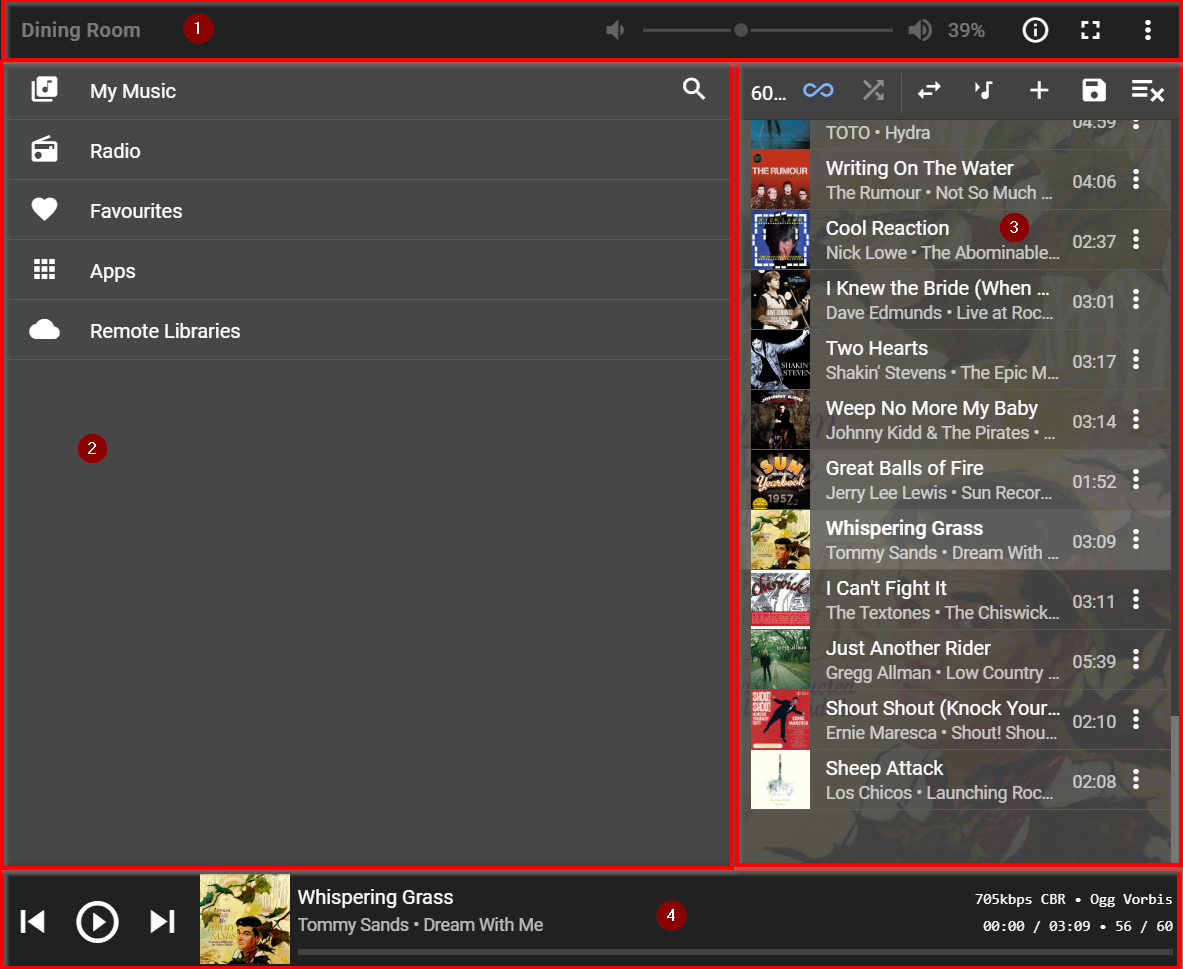
- Top menu - Player Selection / Volume / Info / Expanded Now Playing / Settings
Info is only visible if Music & Artist Information plugin (MAI) is installed - Browse area
- Queue are
- Now Playing area
Created with the Personal Edition of HelpNDoc: Create help files for the Qt Help Framework