iOS Users
To run Material in full screen app mode first open it in Safari browser - http://lmsipaddress:9000/Material/Mobile
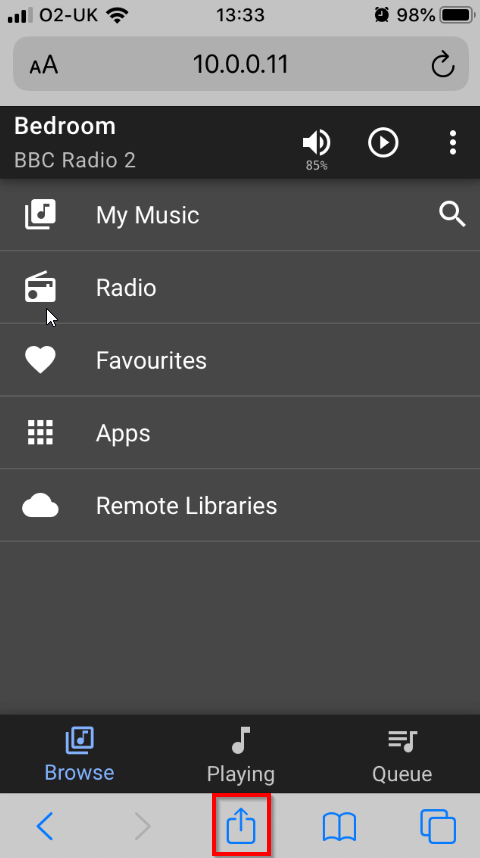
Then click on the Share icon
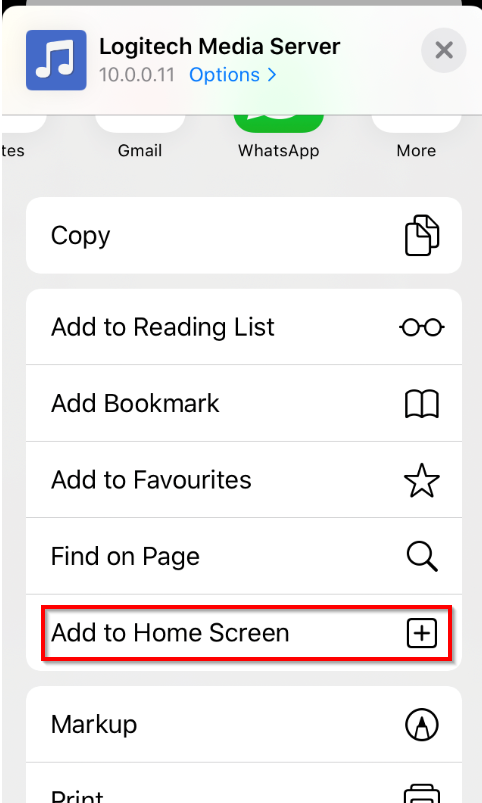
Then scroll down and select "Add to Home Screen"
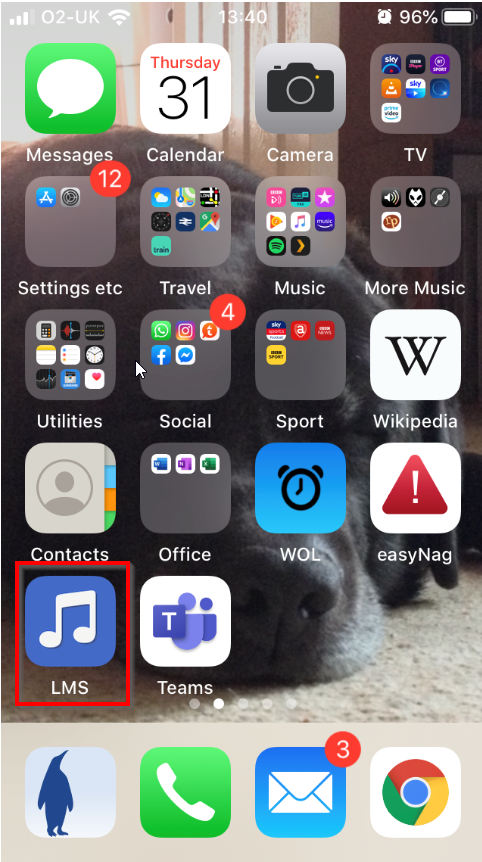
Material will add itself to your iOS Home Screen
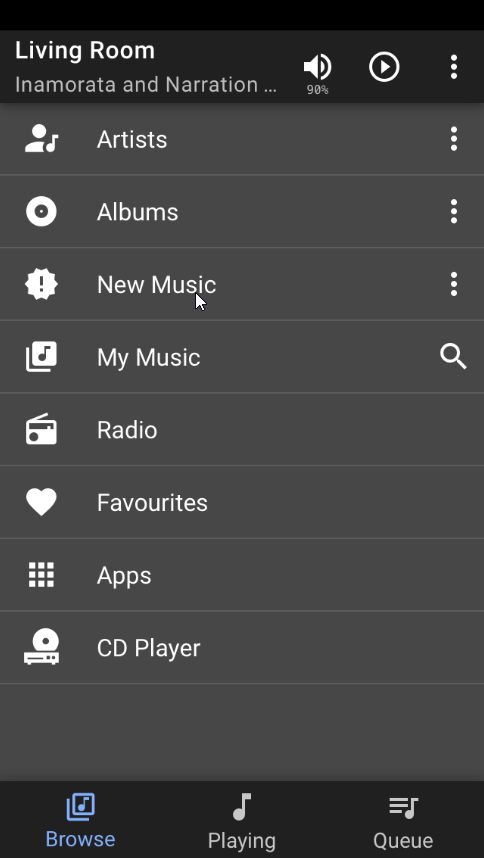
If you then launch Material from here it will operate in full screen mode
Created with the Personal Edition of HelpNDoc: Produce Kindle eBooks easily