PC Users
It is often a good idea to run Material outside of your main browser so that when you shut the main browser window Material is still available.
With certain browsers this is achieved by running Material in "app" mode.
Chrome (Windows)
Add a new shortcut to your desktop
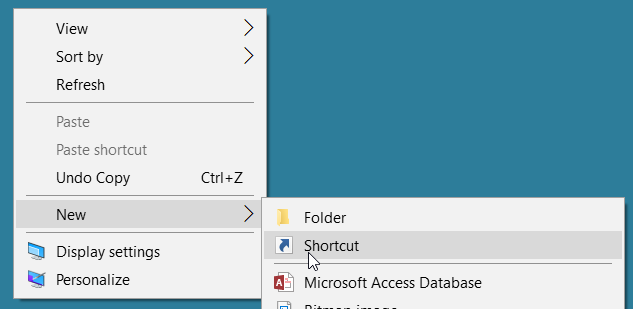
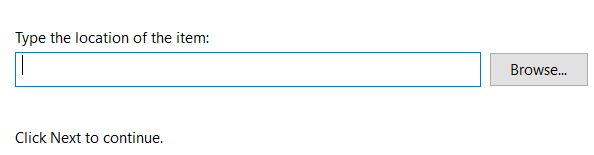
In the location box type
"C:\Program Files (x86)\Google\Chrome\Application\chrome.exe" --app="http://lmsipaddress:9000/Material"
or
"C:\Program Files (x86)\Google\Chrome\Application\chrome.exe" --app="http://lmsipadress:9000/Material/Desktop"
or
"C:\Program Files (x86)\Google\Chrome\Application\chrome.exe" --app="http://lmsipaddress:9000/Material/Mobile"
Amend the IP address and port number according to your setup.
This will create a shortcut that will open Material in app mode in a separate window without navigation and menus.
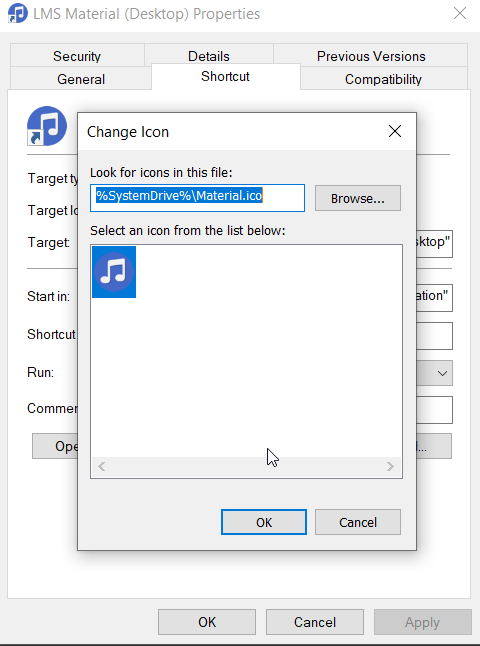
Here I have modified the icon used by the shortcut using this .ico file - right click and do Save image as.. and modify the shortcut icon accordingly
Created with the Personal Edition of HelpNDoc: Create help files for the Qt Help Framework